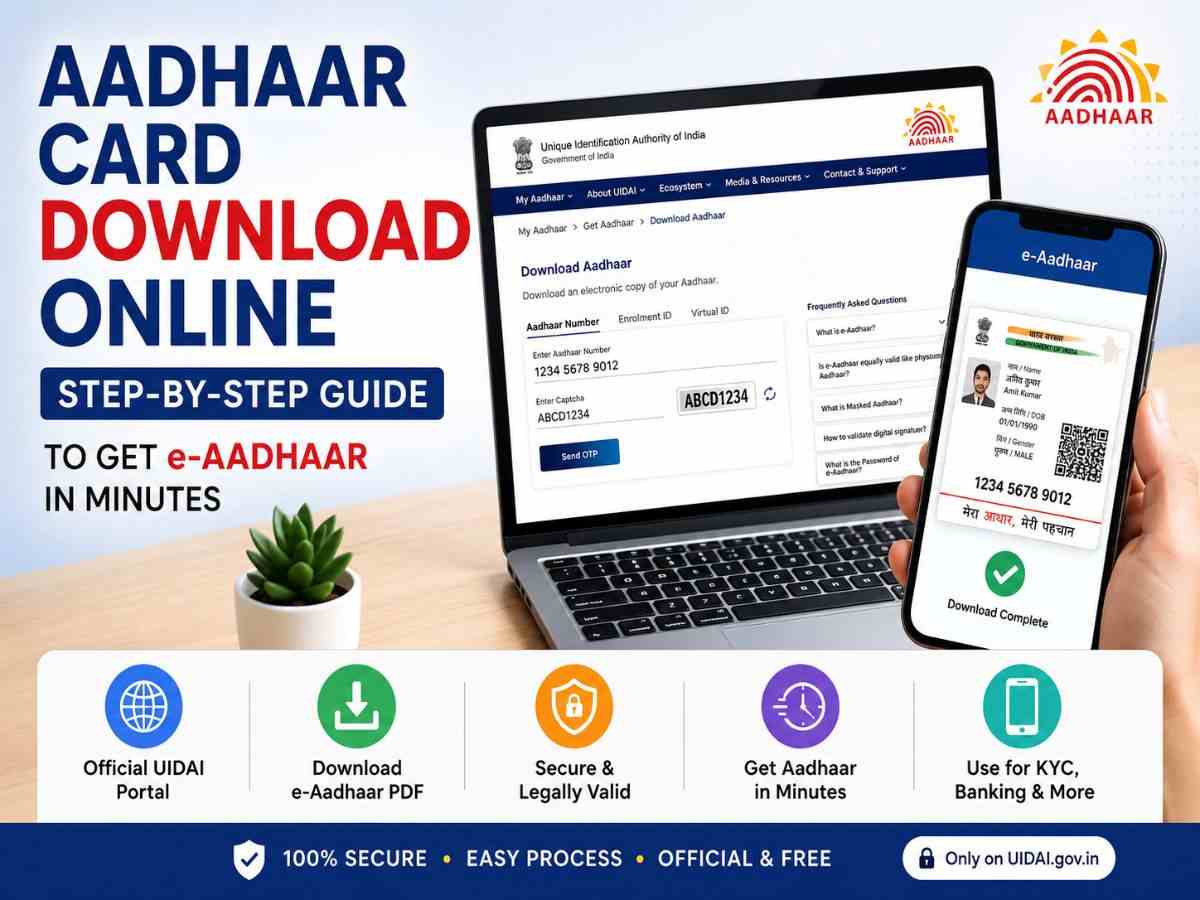
In today’s digital world, your Aadhaar Card is one of the most important identity documents in India. Whether you need it for banking, KYC verification, passport applications, income tax filing, SIM card verification, government schemes, or online services, having quick access to your Aadhaar is essential.
The good news is that the Unique Identification Authority of India (UIDAI) allows residents to download a digitally signed e-Aadhaar PDF online within minutes. The electronic version of Aadhaar is legally valid and can be used just like the physical card for most official purposes.
If you’ve lost your Aadhaar card or need another copy, here’s everything you need to know about downloading it safely from the official UIDAI portal.
What Is e-Aadhaar?
e-Aadhaar is the digital version of your Aadhaar card issued by UIDAI. It contains the same information as your physical Aadhaar card, including:
- Aadhaar Number
- Name
- Photograph
- Date of Birth
- Gender
- Address
- QR Code
- Digital Signature by UIDAI
Since it is digitally signed by UIDAI, the downloaded PDF is considered an official and valid identity document.
Who Can Download an Aadhaar Card Online?
You can download your Aadhaar if you have:
- Aadhaar Number (UID)
- Enrolment ID (EID)
- Virtual ID (VID)
You also need access to the registered mobile number, as UIDAI sends a One-Time Password (OTP) for verification during the download process.
How to Download Aadhaar Card Online
Downloading your Aadhaar card is a straightforward process.
Step 1: Visit the Official UIDAI Website
Open your browser and visit the official UIDAI website.
Navigate to the Download Aadhaar section.
Step 2: Choose Your Identification Method
UIDAI allows users to download Aadhaar using:
- Aadhaar Number
- Enrolment ID (EID)
- Virtual ID (VID)
Select the option you wish to use.
Step 3: Enter Required Details
Fill in:
- Aadhaar Number or EID
- Captcha Verification
Click Send OTP.
Step 4: Verify OTP
Enter the OTP received on your registered mobile number.
After successful verification, click Verify & Download.
Step 5: Download the PDF
Your Aadhaar card will download instantly in PDF format.
How to Open the Aadhaar PDF
The downloaded Aadhaar file is password protected.
The password consists of:
- First four letters of your name (in CAPITAL letters)
- Birth year (YYYY)
Example
Name: Rahul Kumar
Year of Birth: 1998
Password:
RAHU1998
Can You Download Aadhaar Without a Registered Mobile Number?
No. OTP verification is mandatory for downloading e-Aadhaar directly through UIDAI.
If your mobile number is not linked to Aadhaar, you’ll first need to update it by visiting an Aadhaar Seva Kendra or authorized enrollment center.
How to Download Aadhaar Using Enrolment ID (EID)
If you have recently enrolled for Aadhaar but have not yet received the physical card, you can still download it.
Simply:
- Select Enrolment ID
- Enter your 28-digit EID
- Complete OTP verification
- Download the Aadhaar PDF
Download Aadhaar Using Virtual ID (VID)
UIDAI also offers download through VID, a temporary 16-digit Virtual ID linked to your Aadhaar.
Using VID enhances privacy because you don’t need to enter your Aadhaar number during the download process.
What Is mAadhaar?
The mAadhaar app is UIDAI’s official mobile application.
With the app, users can:
- Carry Aadhaar digitally
- Share Aadhaar securely
- Generate Virtual ID
- Lock or unlock biometrics
- Locate Aadhaar centres
- Update certain profile details
- Verify Aadhaar
It is available for both Android and iOS devices.
Is e-Aadhaar Legally Valid?
Yes.
According to UIDAI, e-Aadhaar is equally valid as the physical Aadhaar card because it carries a secure digital signature.
It is widely accepted for:
- Bank KYC
- Passport
- PAN linking
- Income Tax
- Government Schemes
- Mobile SIM Verification
- Digital Identity Verification
- Educational Institutions
- Insurance
Common Reasons Why Aadhaar Download May Fail
Sometimes users experience issues while downloading Aadhaar.
Common reasons include:
Mobile Number Not Registered
OTP cannot be generated without a registered mobile number.
Incorrect Aadhaar Number
Double-check the entered UID or EID.
Server Issues
Heavy traffic on UIDAI servers may temporarily delay downloads.
Incorrect PDF Password
Many users enter the wrong password while opening the downloaded file.
Browser Problems
Try refreshing the page or using another browser if the download fails.
How to Update Aadhaar Details
If your Aadhaar information has changed, you can update certain details through UIDAI.
Common updates include:
- Address
- Mobile Number
- Email ID
- Name (subject to guidelines)
- Date of Birth (subject to document verification)
- Gender
- Photograph
- Biometrics
Some updates can be initiated online, while others require a visit to an Aadhaar Seva Kendra.
Aadhaar Security Tips
To keep your Aadhaar information safe:
- Download Aadhaar only from the official UIDAI website.
- Never share OTPs with anyone.
- Avoid downloading Aadhaar from unofficial websites.
- Keep your registered mobile number updated.
- Use Virtual ID (VID) whenever possible for enhanced privacy.
- Lock your biometrics if not in regular use.
Benefits of Downloading e-Aadhaar
Downloading your Aadhaar online offers several advantages:
- Instant access anytime
- No need to wait for a physical copy
- Accepted as an official identity document
- Easy to store digitally
- Convenient for online KYC
- Secure with digital signature and QR code
- Accessible from anywhere
More in India
 IndiaPunjab State Dear Rakhi Bumper Result 2026: ₹7 Crore Prize, Winners List29 Aug 2026
 India100-Foot Tricolour Installed at Doda Stadium for 80th Independence Day (15 Augest 2026): Why It Matters in Chenab Valley Jammu Kashmir15 Aug 2026
 IndiaIndependence Day 2026: India Marks 80th I-Day as Vande Mataram Echoes From Red Fort for the First Time15 Aug 2026
 IndiaDeep Amavasya 2026: The Sacred Festival That Celebrates the Power of Light and Positivity12 Aug 2026
 IndiaH1N1 Cases Jump 6 Times in Delhi: Doctors Explain Symptoms, Prevention and Risk Factors10 Aug 2026
 BreakingNational Handloom Day 2026: Date, Theme, History, Significance and Why India Celebrates Its Weaving Heritage6 Aug 2026
Read Next
 SportsAsian Games 2026: India Schedule, Medal Tally, Cricket Results, Matches and Latest Updates22 Sep 2026
 TechGrok 4.7 Launches With Focus on Coding, Long-Running Tasks and Knowledge Work21 Sep 2026
 SportsAsian Games 2026 Live: India and Pakistan Schedule, Results, Medal Tally, Cricket, Hockey and Latest Updates20 Sep 2026